Kinesis Keyboard Palm Keys
Page updated:
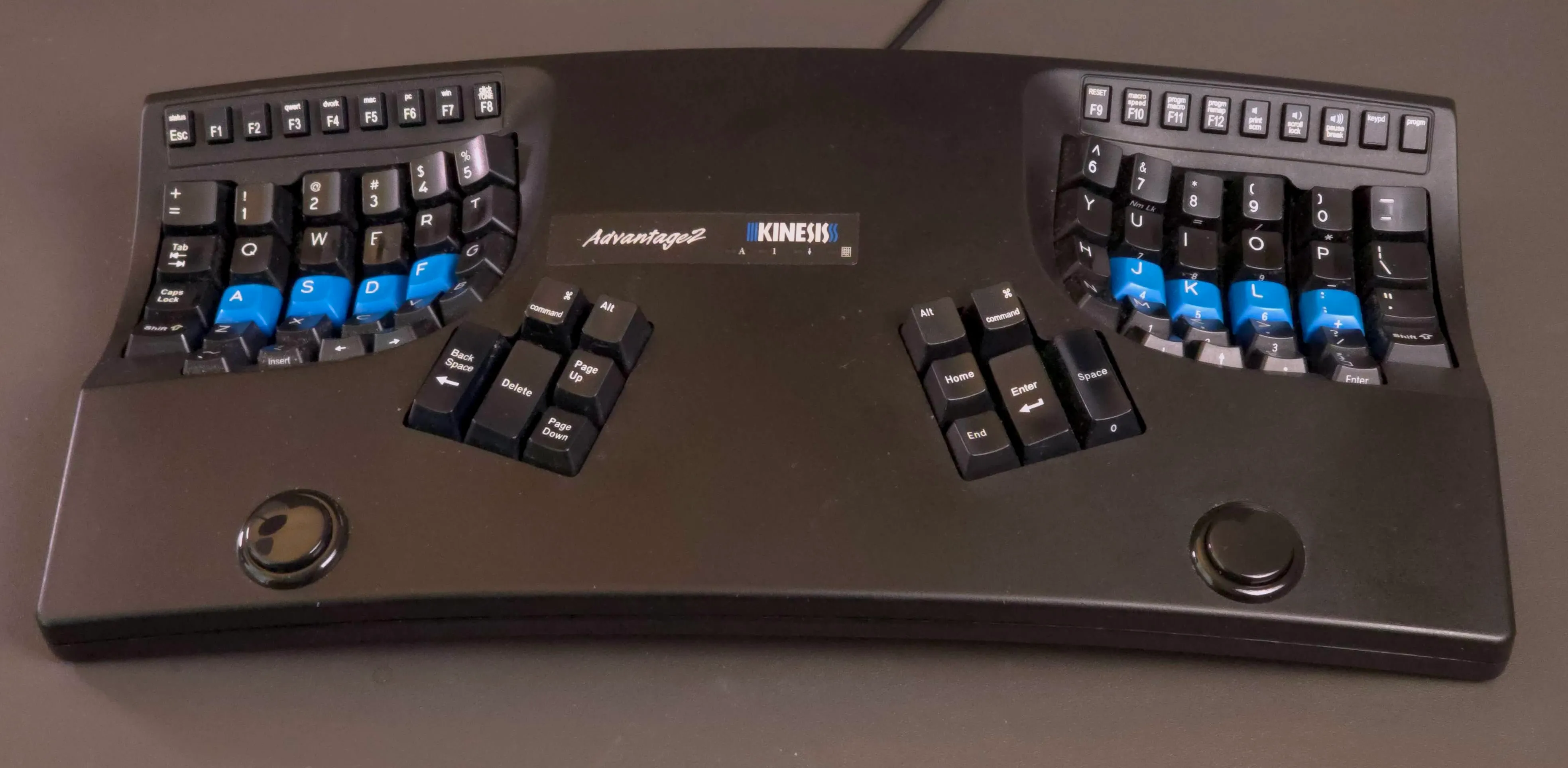
Kinesis Advantage keyboard with palm key mods
I switched to a Kinesis Advantage keyboard in 2014. While I loved the ergonomic shape, the wide split made it harder to hit common keys like space, enter, up/down arrows, and home/end when the right hand is on the mouse. On a normal keyboard you can bring the left hand over, but it’s a longer reach on Kinesis. This felt awkward to me, and I found myself switching my right hand more frequently.
I added palm keys to add an extra layer to make these common keys accessible with the left hand alone.
The palm of each hand can easily move down slightly, giving two extra bits of bandwidth. There are very few commercial keyboards that seem to recognize this 1. Instead, most opt for conventional keys as layer shifts, which leads to awkward finger contortions to hit chords.
This is a mod I’ve been using since 2015, across 3 versions of this keyboard I’ve purchased over the years, with only minor tweaks to the layout over the years.
The mod
Credit for the mod idea goes to the geekhack community, specifically this thread. sordna tried adding all sorts of crazy extra keys, before finally concluding that the palm keys are by far the best, and easiest. Another user’s build.
All you need is a stepped drill bit, some wire, and low-profile arcade switches. I used the Seimitsu PS-15.
The keyboard already has inputs for foot switches, which we connect the palm switches to directly. Left palm key is momentary keypad layer shift, right palm key is regular shift (FS1 and FS3).
Layout details
My left hand 2nd layer layout is motivated mostly by single hand operation for when my right hand is on the mouse. Access to arrows, enter (mnemonic: palm+G for “Go”), spacebar, and all F-keys.
Palm+Backspace for Delete saves a valuable thumb cluster key. I found some chords difficult with the stock layout; moving Ctrl to the left thumb cluster and and adding an extra Alt/Opt key makes every chord easily accessible.
It definitely took some time to start using the second layer consistently, but I definitely miss them when typing on laptops now.
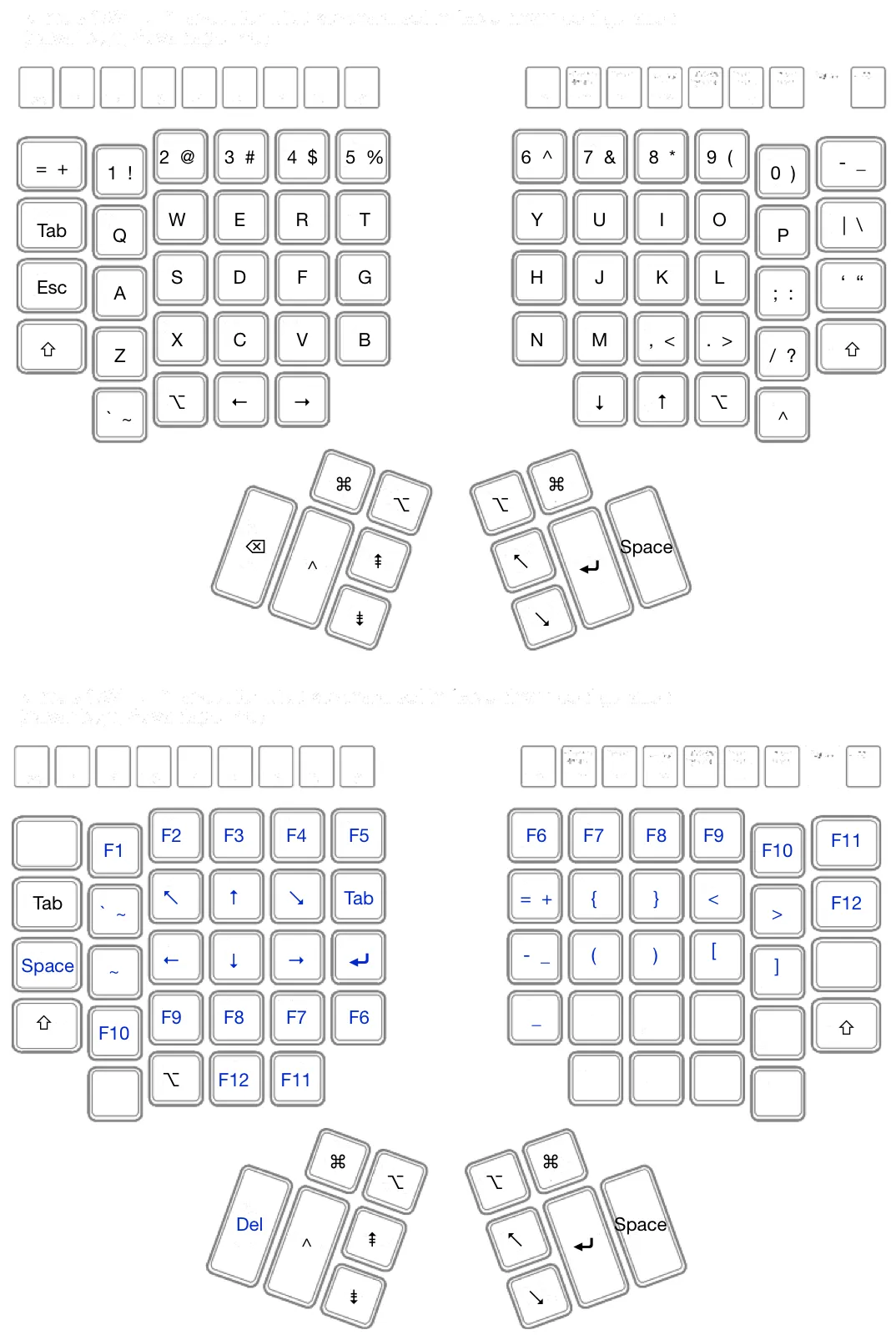
Regular layout (top) and left-palm-key layer layout (bottom)
Stock layout (for reference)
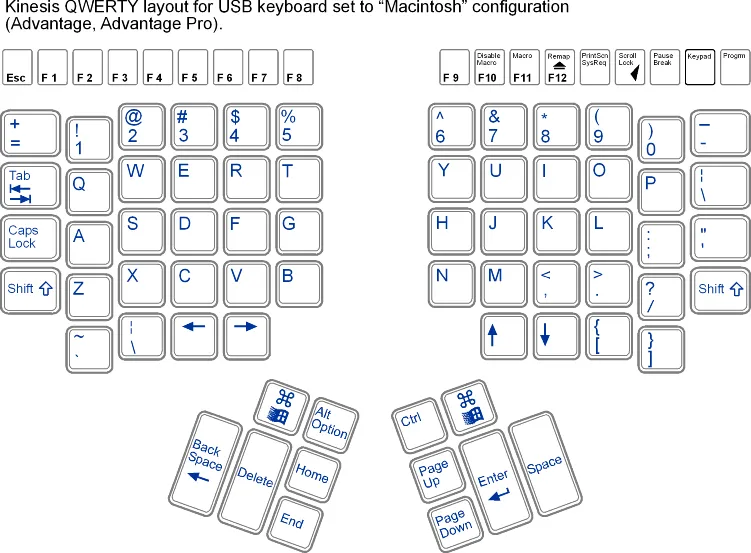
Stock Kinesis Advantage keyboard layout
Keyboards over the years
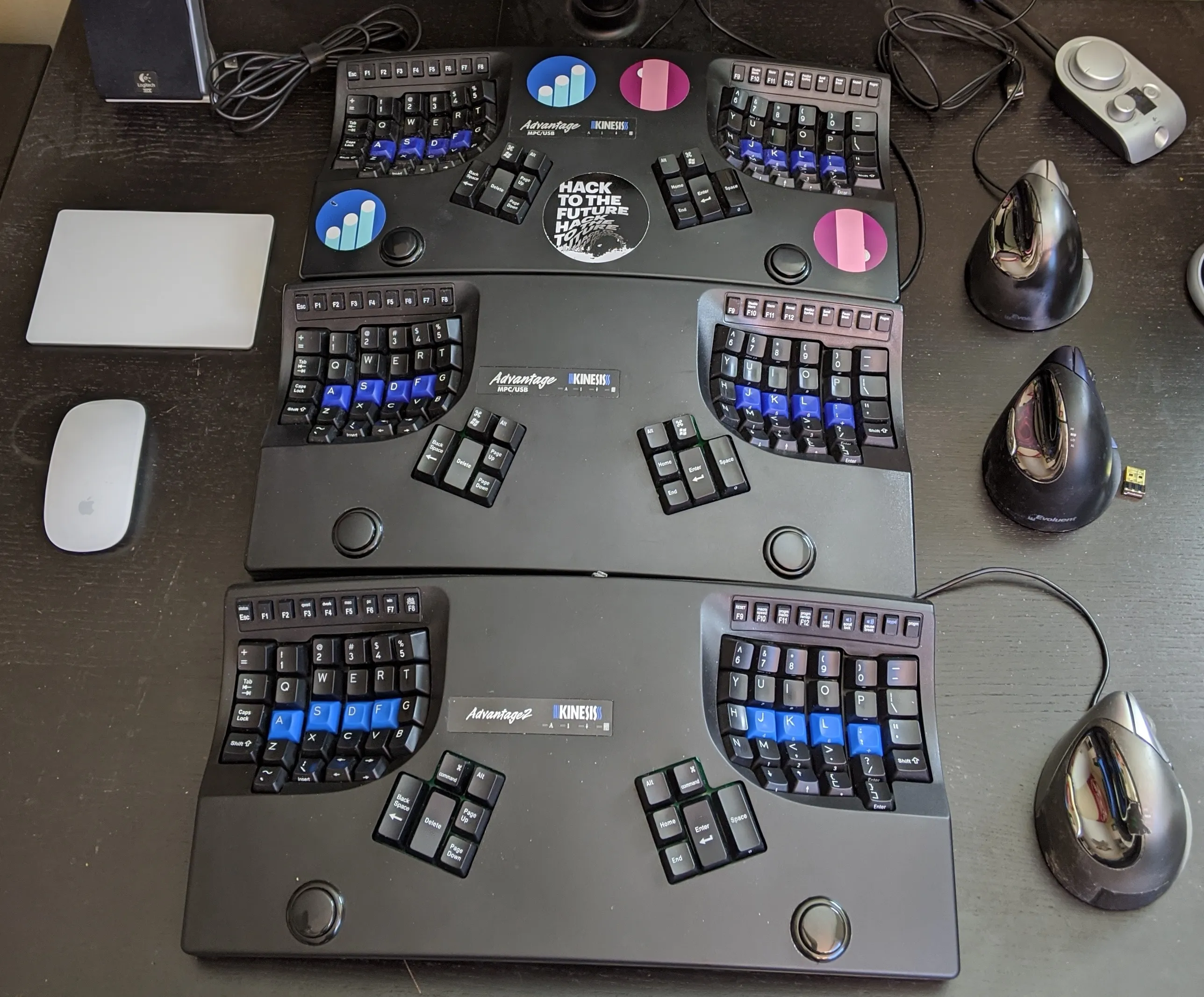
Keyboards over the years
Footnotes
-
The keyboard.io is the only one I’m aware of. ↩